# Run this cell to set up packages for lecture.
import babypandas as bpd
import matplotlib.pyplot as plt
import numpy as np

plt.style.use("ggplot")
Welcome to DSC 10! 👋
- DSC 10 is a guided tour of data science.
- It was developed by UC Berkeley in 2015 and adapted by UCSD in 2017.
- You'll learn just enough programming and statistics to do data science.
- We'll cover statistics without too much math – instead, we'll use simulation.
- This class lays the foundation for all other courses in the DSC major.
Agenda
- Course staff.
- What is data science?
- How will this course run?
- Fun demo.
- What is code? What are Jupyter Notebooks?
- Expressions.
Course staff
Instructor: Dr. Peter Chi (call me Peter)
- PhD in Biostatistics from the University of Washington.
- Teaching Experience: Cal Poly SLO ➡️ Ursinus College ➡️ Villanova University ➡️ UCSB ➡️ UCSD.
- Arrived to UCSD last year, 3rd time teaching DSC 10
- Developed and will frequently teach DSC 152 (statistical inference for data science)
- Outside interests: practicing Mandarin, watching basketball, hanging out with my 6 year old.
 |
 |
 |
Instructor: Dr. Janine Tiefenbruck (call me Janine)
- BS in Math and Computer Science at Loyola Maryland, PhD in Math (combinatorics) at UCSD 🔱.
- Teaching at UCSD: Math ➡️ CSE ➡️ DSC.
- 11 years of teaching!
- Mostly teach DSC 10, sometimes DSC 40A or DSC 80.
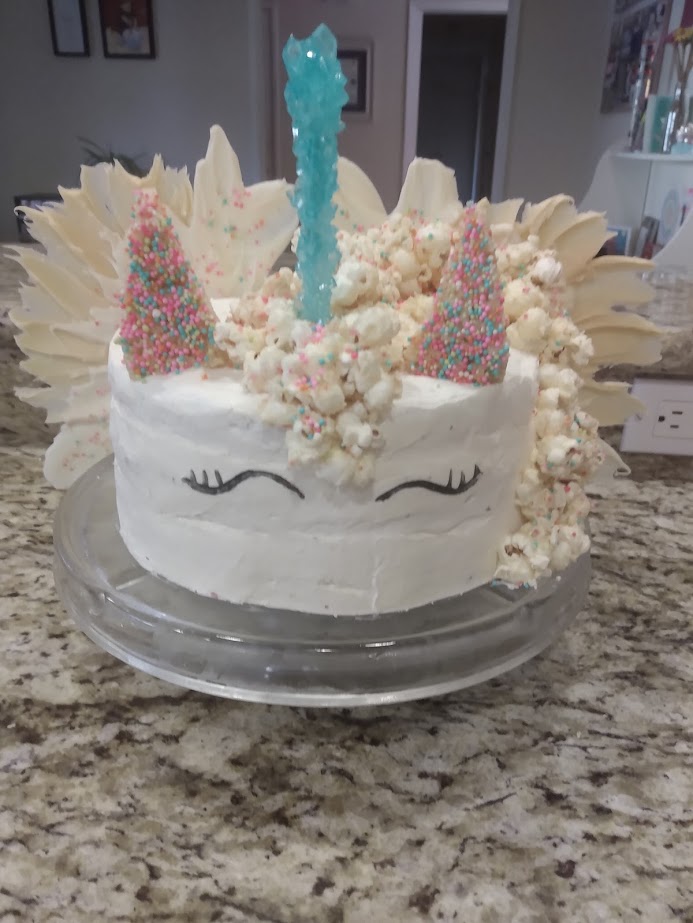
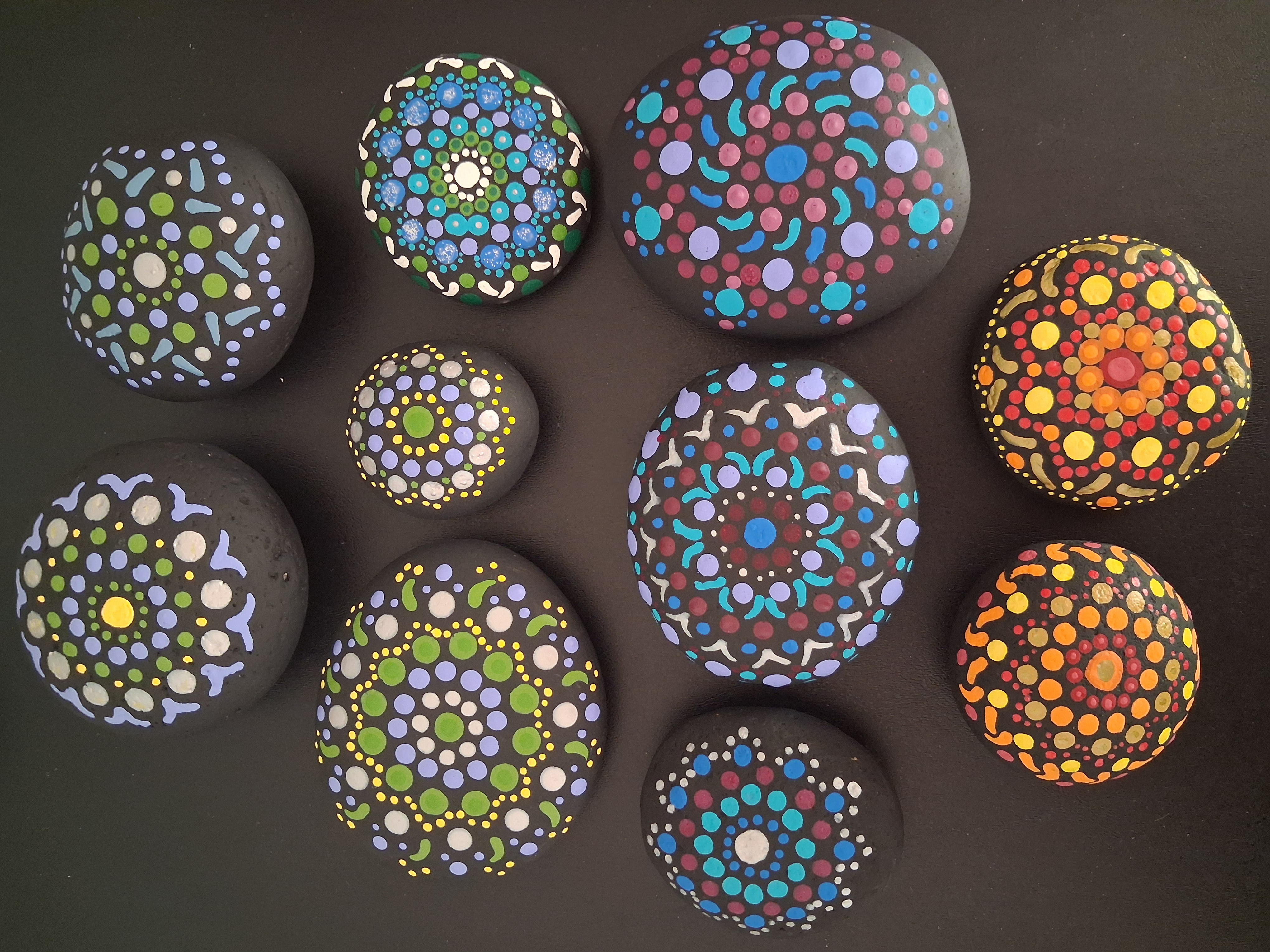
- Outside interests: crafting, board games, hiking, baking.
 |
 |
 |
Course staff
In addition, we have many other course staff members who are here to support you in discussion, office hours, and online.
- Graduate TA: Saara Kriplani.
- Graduate Reader: Raymond Williams.
- Undergraduate tutors: Jordan Chen, Coleman Clougherty, Kate Feng, Austin Flippo, Michelle Hong, Jeffrey Kang, Lauren Lee, Evelyn Na, Aarush Narayanan, Rishika Sahu, Sujal Sirimilla, Sadhana Tadepalli, Ishaan Tibdewal, Vivian Yu Zhu, Yagnasri Chilukuri, Dylan Dsouza, Seena Ghasemi, Ishayu Ghosh, Noah Golder, Sam Griffiths, Bianca Grunbaum, Akash Gupta-Verma, Ruhan Karthik, Ella Li, Varshith Maram, Elisa Varghese, William Wong, Allison Xu, Vanessa Yang.
- Stuffed panda mascot: Baby Panda. 🐼
Learn more about them at dsc10.com/staff, and come say hi in office hours!
What is "data science"? 🤔
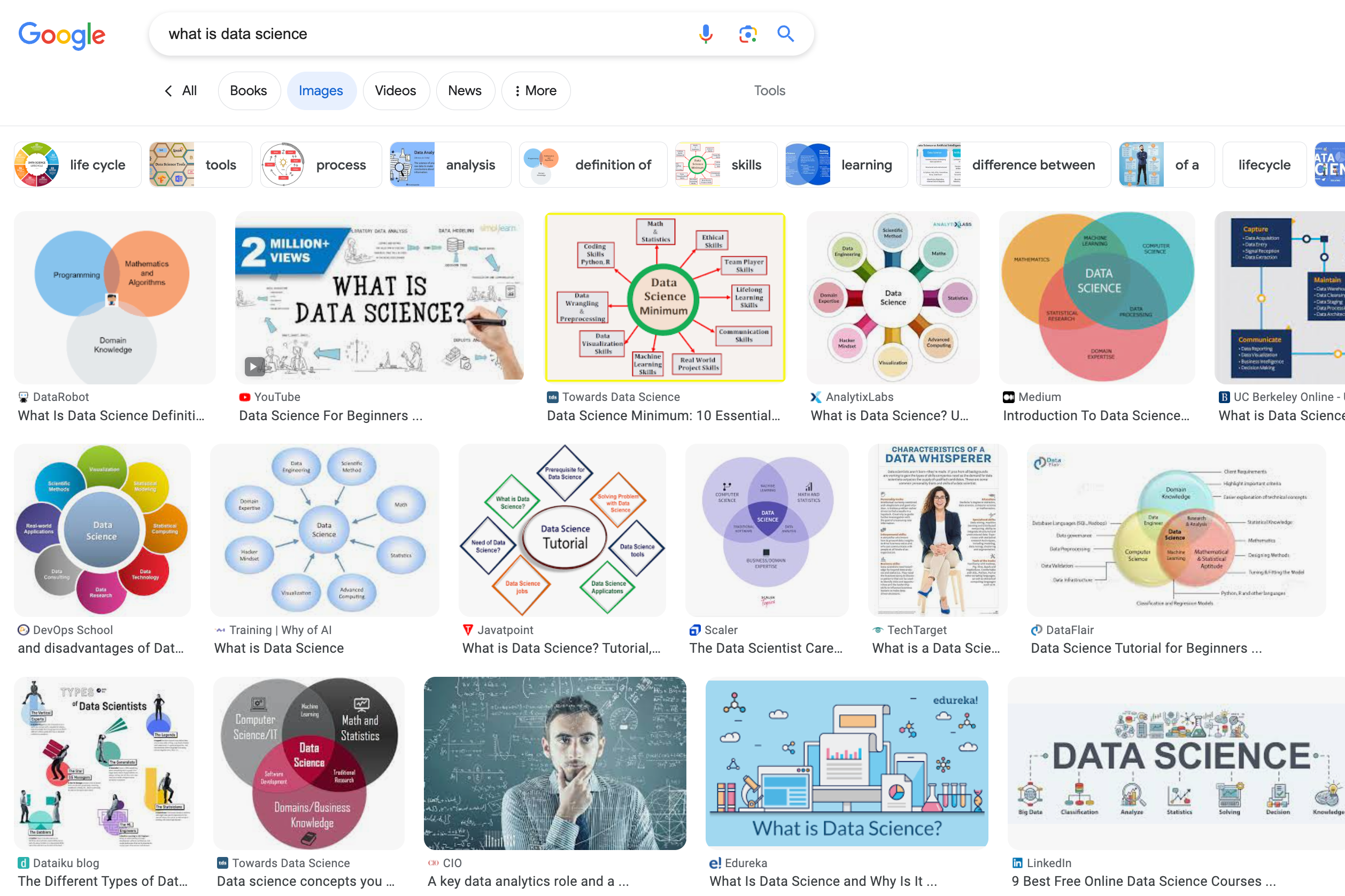 Everyone seems to have their own definition of data science.
What is "data science"?
Data science is about drawing useful conclusions from data using computation. Throughout the quarter, we'll touch on several aspects of data science:
- First 4 weeks: use Python to explore data.
- Lots of visualization 📈📊 and "data manipulation", using industry-standard tools.
- Next 4 weeks: use data to infer about a population, given just a sample.
- Rely heavily on simulation, rather than formulas.
- Last 2 weeks: use data from the past to predict what may happen in the future.
- A taste of machine learning 🤖.
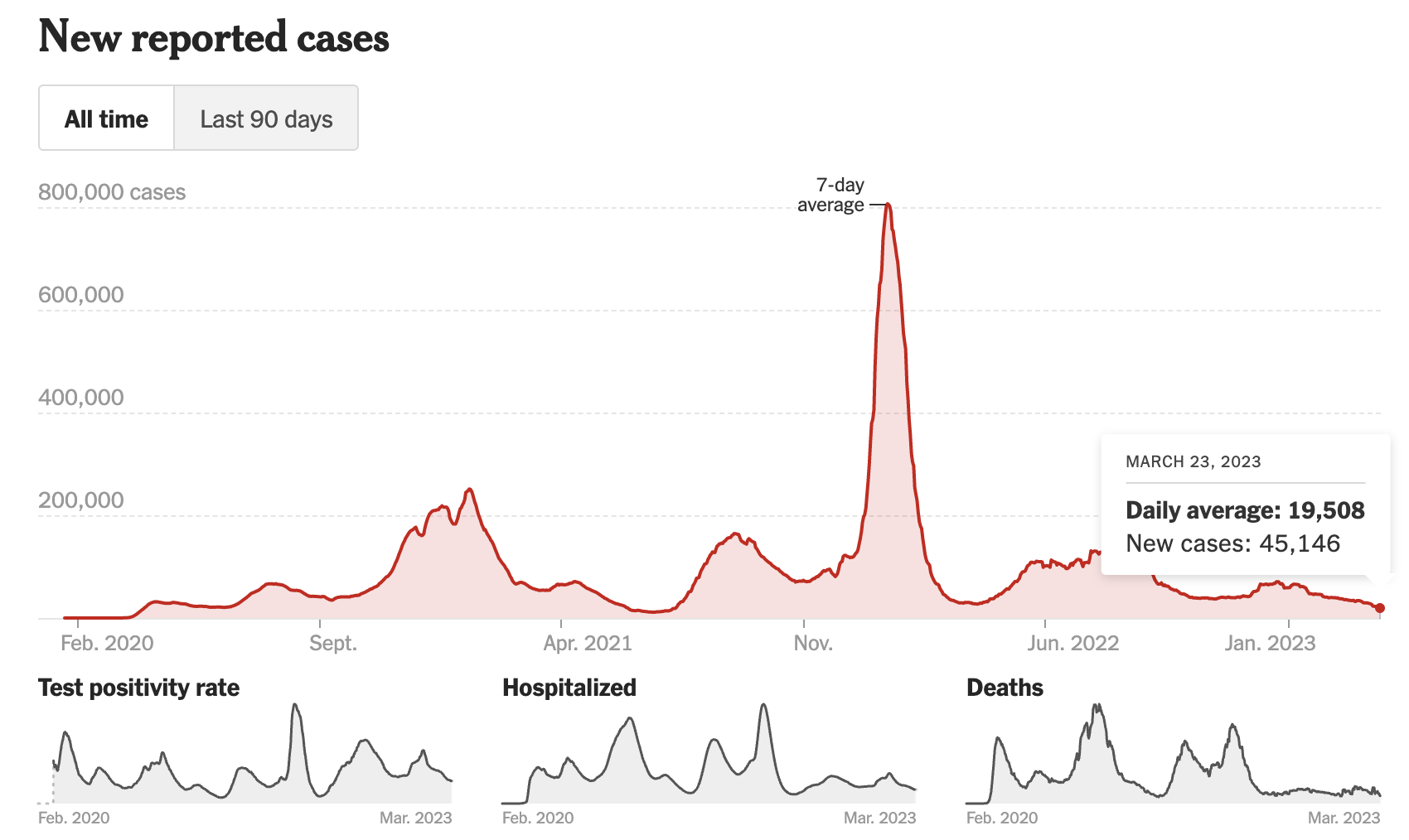
It can be fun, too!
The site The Pudding is home to several interactive data-rich articles.
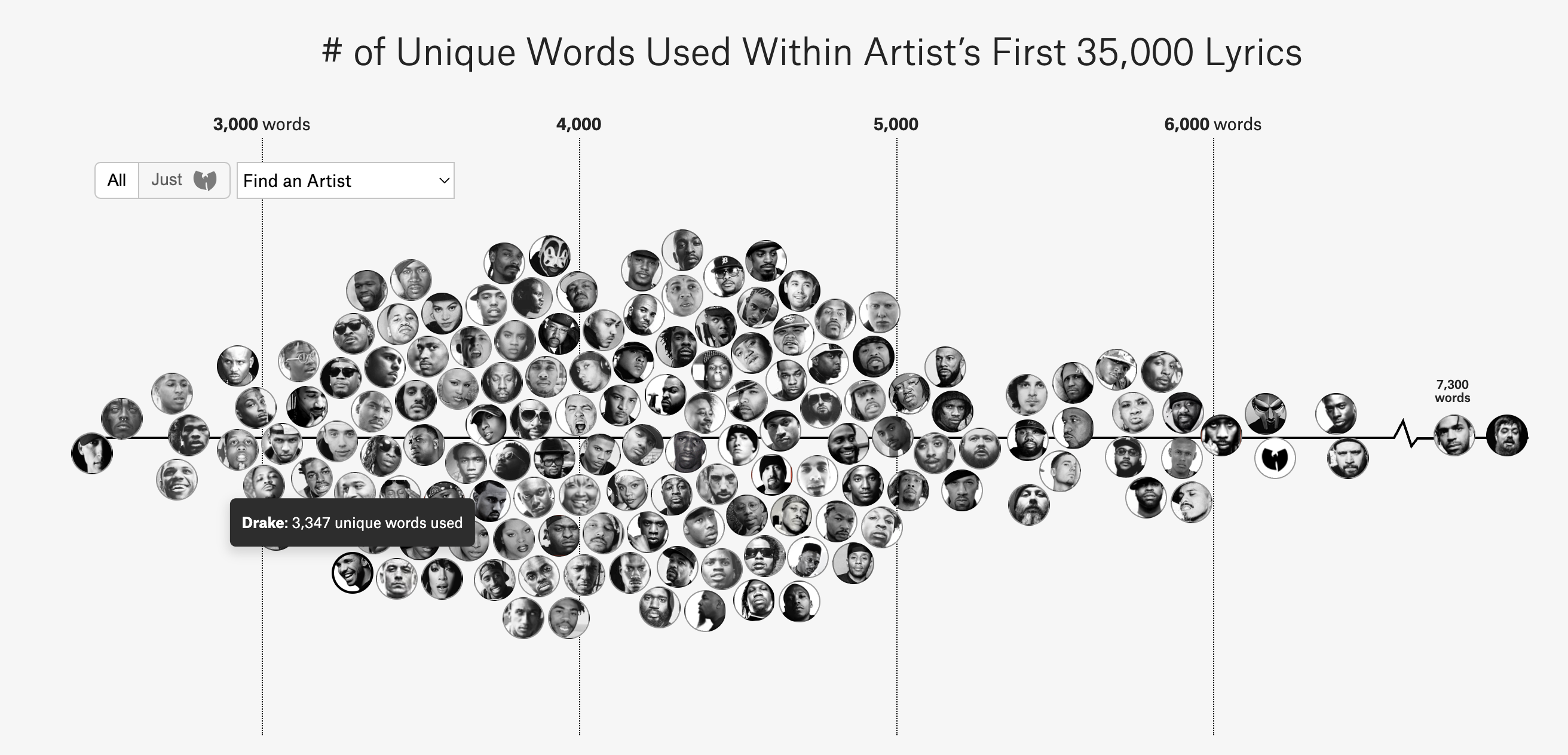 (source)
Course logistics
Important Dates
We will have four quizzes and two exams this quarter. All will be conducted in person and on paper.
- Quiz 1: Friday, Octber 9th
- Quiz 2: Friday, October 16th
- Midterm Exam: Monday, October 26th during lecture
- Quiz 3: Friday, November 6th
- Quiz 4: Friday, November 20th
- Final Exam: Saturday, December 5th from 3:00PM to 6:00PM
We cannot accommodate changes to quiz times, but we may be able to accommodate changes to exam times. Let us know of any conflicts with exams on the Welcome Survey.
Getting started
Your first task is to complete the following by Tuesday, September 29th at 11:59PM.
- Join Campuswire (join code: 4942).
- Check if you can access Gradescope. If not, make a private post on Campuswire with your name, Triton Student Number, and email address, then we can add you so you can submit assignments.
- Read the syllabus and course website and complete the Syllabus Check.
- Fill out the Welcome Survey.
Academic Integrity policies
Collaboration
- Discuss all questions with each other (except, of course, on quizzes and exams).
- Projects are submitted in pairs or individually. Both partners should contribute to all parts of the project, not split it up.
- Labs and homeworks are submitted individually.
- No other person should complete your work for you or write any of the code you submit in this course, with the exception of the work you do with a project partner.
- Don't give someone else your code or look at someone else's code.
Generative Artificial Intelligence (GenAI)
- This class has a custom AI Tutor trained on course materials and designed to help you understand course content. Learn about how it works, see our recommendations for how to use it, and please try it out!
- A research team will be collecting data on our usage of the AI Tutor this quarter. More details are available on the course website.
- Participation is optional and you can opt out at any time.
- You can earn extra credit for completing tasks associated with the research study:
- Take a pre-course knowledge assessment in your laboratory section today, and complete an online survey (+1% extra credit if you complete BOTH).
- Take a post-course knowledge assessment in your laboratory section in Week 10, and complete an online survey (+1% extra credit if you complete BOTH).
- The syllabus includes a discussion about the use of GenAI tools and how you may use them in this course. Please read this carefully and ask if you have any questions.
Getting help
This is a tough, fast-paced course, but we're here to help you – here's how:
- Discussion Section.
- Week 1 discussion sections will focus on getting you set up in our programming environment.
- Future discussions will focus on preparation for quizzes and exams (the hardest part of the course).
- Office Hours (OH).
- Not held in an office, but in a large open study space.
- Come with questions, or just to work!
- See the schedule and instructions on the 📆 Calendar.
- Campuswire.
- Post here with any logistical or conceptual questions; please don't email or use Canvas.
- No code or solutions in public posts. Such posts should be private to course staff.
- Otherwise, post publicly (anonymously, if you'd like).
- Resources, Resources, Resources.
- The course website includes links to course notes, a reference sheet, tutor-created videos and slideshows, interactive diagrams, practice exams with solutions, and more.
- 🚨 Important: Use these to your advantage!
Advice from previous students
At the end of each quarter, we ask DSC 10 students to give advice to future students in the course. Here are some responses from past students:
Start the assignments (especially the midterm/final projects) early! It became so manageable with more time to split up sections and think things through without a crazy overbearing time pressure.
Be prepared to spend a lot of time in this class, regardless of whether you have any prior knowledge in programming or statistics. Everything is doable, but you will need to put in a significant amount of effort to succeed and sometimes you'll have to think outside of the box to come up with solutions.
Go to office hours!! It is the best resource available. The tutors are more than willing to help you out. The tutors made my time at DSC 10 not only manageable but also enjoyable. Also, prepare for the quizzes at least one day in advance so that you can retain the material better.
Practice is the most important thing you can do to succeed in this course. Also, grab a friend - two (or more) heads are better than one! And don't be afraid to ask for help when needed.
We're here for you!
Regardless of your background, you can succeed in this course with lots of hard work. No prior programming or statistics experience will be assumed! We'll start at the beginning, but we will move fast!
Inspirational TED talk: 🎥 We’re All Data Scientists by Rebecca Nugent.
Wellness resources
Demo
Little Women (1868)
- Little Women, by Louisa May Alcott, is a novel that follows the life of four sisters – Meg, Jo, Beth, and Amy.
- A movie based on the novel was released in 2019, starring Emma Watson (Meg) and Timothée Chalamet (Laurie).
- Using tools from this class, we'll learn (a bit) about the plot of the book, without reading it.
- Do not worry about any of this code – we'll cover the necessary pieces in the weeks to come. Sit back and relax!
# Read in 'lw.txt' to a variable called little_women_text.
little_women_text = open("data/lw.txt").read()
# See the first three thousand characters.
little_women_text[:3000]
'The Project Gutenberg EBook of Little Women, by Louisa May Alcott\n\nThis eBook is for the use of anyone anywhere at no cost and with\nalmost no restrictions whatsoever. You may copy it, give it away or\nre-use it under the terms of the Project Gutenberg License included\nwith this eBook or online at www.gutenberg.net\n\n\nTitle: Little Women\n\nAuthor: Louisa May Alcott\n\nPosting Date: September 13, 2008 [EBook #514]\nRelease Date: May, 1996\n[This file last updated on August 19, 2010]\n\nLanguage: English\n\n\n*** START OF THIS PROJECT GUTENBERG EBOOK LITTLE WOMEN ***\n\n\n\n\nLITTLE WOMEN\n\n\nby\n\nLouisa May Alcott\n\n\n\n\nCONTENTS\n\n\nPART 1\n\n ONE PLAYING PILGRIMS\n TWO A MERRY CHRISTMAS\n THREE THE LAURENCE BOY\n FOUR BURDENS\n FIVE BEING NEIGHBORLY\n SIX BETH FINDS THE PALACE BEAUTIFUL\n SEVEN AMY\'S VALLEY OF HUMILIATION\n EIGHT JO MEETS APOLLYON\n NINE MEG GOES TO VANITY FAIR\n TEN THE P.C. AND P.O.\n ELEVEN EXPERIMENTS\n TWELVE CAMP LAURENCE\n THIRTEEN CASTLES IN THE AIR\n FOURTEEN SECRETS\n FIFTEEN A TELEGRAM\n SIXTEEN LETTERS\n SEVENTEEN LITTLE FAITHFUL\n EIGHTEEN DARK DAYS\n NINETEEN AMY\'S WILL\n TWENTY CONFIDENTIAL\n TWENTY-ONE LAURIE MAKES MISCHIEF, AND JO MAKES PEACE\n TWENTY-TWO PLEASANT MEADOWS\n TWENTY-THREE AUNT MARCH SETTLES THE QUESTION\n\n\nPART 2\n\n TWENTY-FOUR GOSSIP\n TWENTY-FIVE THE FIRST WEDDING\n TWENTY-SIX ARTISTIC ATTEMPTS\n TWENTY-SEVEN LITERARY LESSONS\n TWENTY-EIGHT DOMESTIC EXPERIENCES\n TWENTY-NINE CALLS\n THIRTY CONSEQUENCES\n THIRTY-ONE OUR FOREIGN CORRESPONDENT\n THIRTY-TWO TENDER TROUBLES\n THIRTY-THREE JO\'S JOURNAL\n THIRTY-FOUR FRIEND\n THIRTY-FIVE HEARTACHE\n THIRTY-SIX BETH\'S SECRET\n THIRTY-SEVEN NEW IMPRESSIONS\n THIRTY-EIGHT ON THE SHELF\n THIRTY-NINE LAZY LAURENCE\n FORTY THE VALLEY OF THE SHADOW\n FORTY-ONE LEARNING TO FORGET\n FORTY-TWO ALL ALONE\n FORTY-THREE SURPRISES\n FORTY-FOUR MY LORD AND LADY\n FORTY-FIVE DAISY AND DEMI\n FORTY-SIX UNDER THE UMBRELLA\n FORTY-SEVEN HARVEST TIME\n\n\n\nCHAPTER ONE\n\nPLAYING PILGRIMS\n\n"Christmas won\'t be Christmas without any presents," grumbled Jo, lying\non the rug.\n\n"It\'s so dreadful to be poor!" sighed Meg, looking down at her old\ndress.\n\n"I don\'t think it\'s fair for some girls to have plenty of pretty\nthings, and other girls nothing at all," added little Amy, with an\ninjured sniff.\n\n"We\'ve got Father and Mother, and each other," said Beth contentedly\nfrom her corner.\n\nThe four young faces on which the firelight shone brightened at the\ncheerful words, but darkened again as Jo said sadly, "We haven\'t got\nFather, and shall not have him for a long time." She didn\'t say\n"perhaps never," but each silently added it, thinking of Father far\naway, where the fighting was.\n\nNobody spoke for a minute; then Meg said in an altered tone, "You know\nthe reason Mother proposed not having any presents this Christmas was\nbecause it is going to b'
# Print the first three thousand characters.
print(little_women_text[:3000])
The Project Gutenberg EBook of Little Women, by Louisa May Alcott

This eBook is for the use of anyone anywhere at no cost and with
almost no restrictions whatsoever.  You may copy it, give it away or
re-use it under the terms of the Project Gutenberg License included
with this eBook or online at www.gutenberg.net


Title: Little Women

Author: Louisa May Alcott

Posting Date: September 13, 2008 [EBook #514]
Release Date: May, 1996
[This file last updated on August 19, 2010]

Language: English


*** START OF THIS PROJECT GUTENBERG EBOOK LITTLE WOMEN ***


LITTLE WOMEN


by

Louisa May Alcott


CONTENTS


PART 1

          ONE  PLAYING PILGRIMS
          TWO  A MERRY CHRISTMAS
        THREE  THE LAURENCE BOY
         FOUR  BURDENS
         FIVE  BEING NEIGHBORLY
          SIX  BETH FINDS THE PALACE BEAUTIFUL
        SEVEN  AMY'S VALLEY OF HUMILIATION
        EIGHT  JO MEETS APOLLYON
         NINE  MEG GOES TO VANITY FAIR
          TEN  THE P.C. AND P.O.
       ELEVEN  EXPERIMENTS
       TWELVE  CAMP LAURENCE
     THIRTEEN  CASTLES IN THE AIR
     FOURTEEN  SECRETS
      FIFTEEN  A TELEGRAM
      SIXTEEN  LETTERS
    SEVENTEEN  LITTLE FAITHFUL
     EIGHTEEN  DARK DAYS
     NINETEEN  AMY'S WILL
       TWENTY  CONFIDENTIAL
   TWENTY-ONE  LAURIE MAKES MISCHIEF, AND JO MAKES PEACE
   TWENTY-TWO  PLEASANT MEADOWS
 TWENTY-THREE  AUNT MARCH SETTLES THE QUESTION


PART 2

  TWENTY-FOUR  GOSSIP
  TWENTY-FIVE  THE FIRST WEDDING
   TWENTY-SIX  ARTISTIC ATTEMPTS
 TWENTY-SEVEN  LITERARY LESSONS
 TWENTY-EIGHT  DOMESTIC EXPERIENCES
  TWENTY-NINE  CALLS
       THIRTY  CONSEQUENCES
   THIRTY-ONE  OUR FOREIGN CORRESPONDENT
   THIRTY-TWO  TENDER TROUBLES
 THIRTY-THREE  JO'S JOURNAL
  THIRTY-FOUR  FRIEND
  THIRTY-FIVE  HEARTACHE
   THIRTY-SIX  BETH'S SECRET
 THIRTY-SEVEN  NEW IMPRESSIONS
 THIRTY-EIGHT  ON THE SHELF
  THIRTY-NINE  LAZY LAURENCE
        FORTY  THE VALLEY OF THE SHADOW
    FORTY-ONE  LEARNING TO FORGET
    FORTY-TWO  ALL ALONE
  FORTY-THREE  SURPRISES
   FORTY-FOUR  MY LORD AND LADY
   FORTY-FIVE  DAISY AND DEMI
    FORTY-SIX  UNDER THE UMBRELLA
  FORTY-SEVEN  HARVEST TIME


CHAPTER ONE

PLAYING PILGRIMS

"Christmas won't be Christmas without any presents," grumbled Jo, lying
on the rug.

"It's so dreadful to be poor!" sighed Meg, looking down at her old
dress.

"I don't think it's fair for some girls to have plenty of pretty
things, and other girls nothing at all," added little Amy, with an
injured sniff.

"We've got Father and Mother, and each other," said Beth contentedly
from her corner.

The four young faces on which the firelight shone brightened at the
cheerful words, but darkened again as Jo said sadly, "We haven't got
Father, and shall not have him for a long time." She didn't say
"perhaps never," but each silently added it, thinking of Father far
away, where the fighting was.

Nobody spoke for a minute; then Meg said in an altered tone, "You know
the reason Mother proposed not having any presents this Christmas was
because it is going to b
# Create a variable "chapters" by splitting the text on 'CHAPTER '.
chapters = little_women_text.split("CHAPTER ")

# Create a DataFrame with one column - the text of each chapters.
bpd.DataFrame().assign(chapters=chapters)
| chapters | |
|---|---|
| 0 | The Project Gutenberg EBook of Little Women, b... |
| 1 | ONE\n\nPLAYING PILGRIMS\n\n"Christmas won't be... |
| 2 | TWO\n\nA MERRY CHRISTMAS\n\nJo was the first t... |
| 3 | THREE\n\nTHE LAURENCE BOY\n\n"Jo! Jo! Where ... |
| 4 | FOUR\n\nBURDENS\n\n"Oh, dear, how hard it does... |
| ... | ... |
| 43 | FORTY-THREE\n\nSURPRISES\n\nJo was alone in th... |
| 44 | FORTY-FOUR\n\nMY LORD AND LADY\n\n"Please, Mad... |
| 45 | FORTY-FIVE\n\nDAISY AND DEMI\n\nI cannot feel ... |
| 46 | FORTY-SIX\n\nUNDER THE UMBRELLA\n\nWhile Lauri... |
| 47 | FORTY-SEVEN\n\nHARVEST TIME\n\nFor a year Jo a... |
48 rows × 1 columns
# Number of occurrences of each name in each chapter.

counts = bpd.DataFrame().assign(
    Amy=np.char.count(chapters, "Amy"),
    Beth=np.char.count(chapters, "Beth"),
    Jo=np.char.count(chapters, "Jo"),
    Meg=np.char.count(chapters, "Meg"),
    Laurie=np.char.count(chapters, "Laurie"),
)
counts
| Amy | Beth | Jo | Meg | Laurie | |
|---|---|---|---|---|---|
| 0 | 0 | 0 | 0 | 0 | 0 |
| 1 | 23 | 26 | 44 | 26 | 0 |
| 2 | 13 | 12 | 21 | 20 | 0 |
| 3 | 2 | 2 | 62 | 36 | 16 |
| 4 | 14 | 18 | 34 | 17 | 0 |
| ... | ... | ... | ... | ... | ... |
| 43 | 31 | 8 | 61 | 3 | 29 |
| 44 | 13 | 0 | 9 | 0 | 10 |
| 45 | 1 | 2 | 6 | 2 | 0 |
| 46 | 2 | 1 | 56 | 4 | 2 |
| 47 | 10 | 3 | 37 | 6 | 13 |
48 rows × 5 columns
# Cumulative number of times each name appears.

cumulative_counts = bpd.DataFrame().assign(
    Amy=np.cumsum(counts.get("Amy")),
    Beth=np.cumsum(counts.get("Beth")),
    Jo=np.cumsum(counts.get("Jo")),
    Meg=np.cumsum(counts.get("Meg")),
    Laurie=np.cumsum(counts.get("Laurie")),
    Chapter=np.arange(1, 49, 1),
)

cumulative_counts
| Amy | Beth | Jo | Meg | Laurie | Chapter | |
|---|---|---|---|---|---|---|
| 0 | 0 | 0 | 0 | 0 | 0 | 1 |
| 1 | 23 | 26 | 44 | 26 | 0 | 2 |
| 2 | 36 | 38 | 65 | 46 | 0 | 3 |
| 3 | 38 | 40 | 127 | 82 | 16 | 4 |
| 4 | 52 | 58 | 161 | 99 | 16 | 5 |
| ... | ... | ... | ... | ... | ... | ... |
| 43 | 619 | 459 | 1435 | 673 | 571 | 44 |
| 44 | 632 | 459 | 1444 | 673 | 581 | 45 |
| 45 | 633 | 461 | 1450 | 675 | 581 | 46 |
| 46 | 635 | 462 | 1506 | 679 | 583 | 47 |
| 47 | 645 | 465 | 1543 | 685 | 596 | 48 |
48 rows × 6 columns
# Putting it all together, we get a helpful visualization.
import plotly.express as px

cumulative_counts_df = (
    cumulative_counts.drop(columns=["Chapter"])
    .to_df()
    .melt()
    .rename(columns={"variable": "name", "value": "Count"})
)
cumulative_counts_df = cumulative_counts_df.assign(
    Chapter=list(range(1, 49)) * 5
)

px.line(
    cumulative_counts_df,
    x="Chapter",
    y="Count",
    color="name",
    width=700,
    height=500,
    title="Cumulative Number of Times Each Name Appears",
    template="ggplot2",
)

- In Chapter 32, Jo moves to New York alone. Her relationship with which sister suffers the most from this faraway move?
- Laurie is a man who marries one of the sisters at the end. Which one?
What is code? What are Jupyter Notebooks? 💻
What is code?
- Instructions for computers are written in programming languages, and are referred to as code.
- “Computer programs” are nothing more than recipes: we write programs that tell the computer exactly what to do, and it does exactly that – nothing more, and nothing less.
Why Python?
- It's popular!
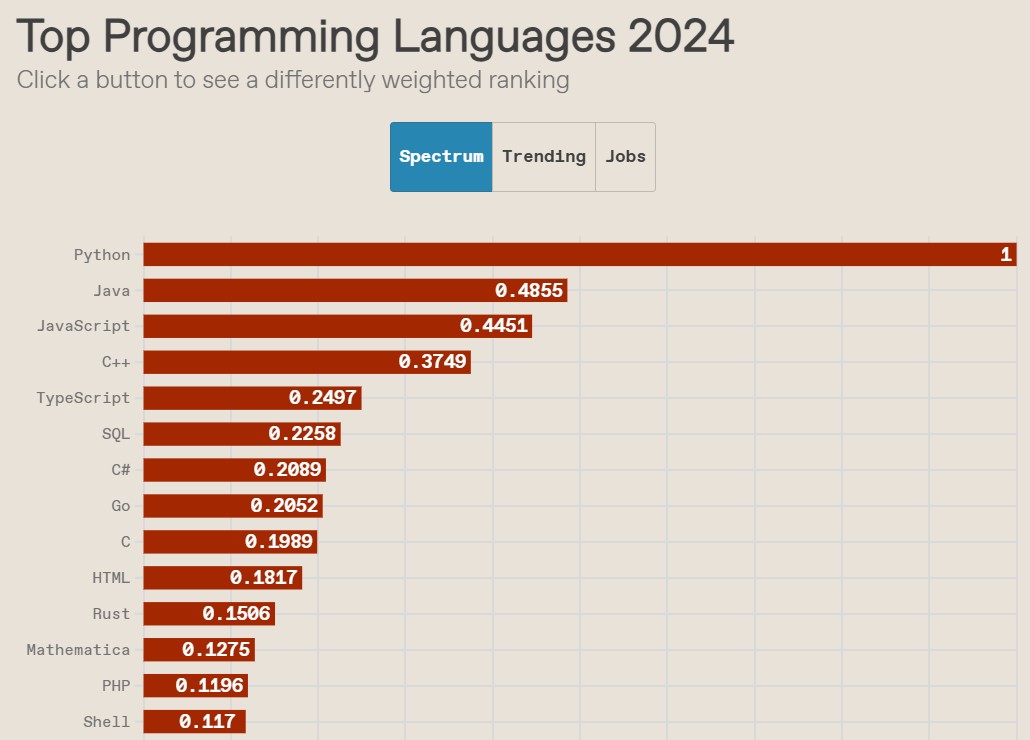
(source and methodology)
- It has a variety of use cases. Some examples:
- Web development.
- Data science and machine learning.
- Scripting and automation.
- It's (relatively) easy to dive right in! 🏊
Jupyter Notebooks 📓
- Often, but not in this class, code is written in a text editor and then run in a command-line interface (or both steps are done in an IDE).
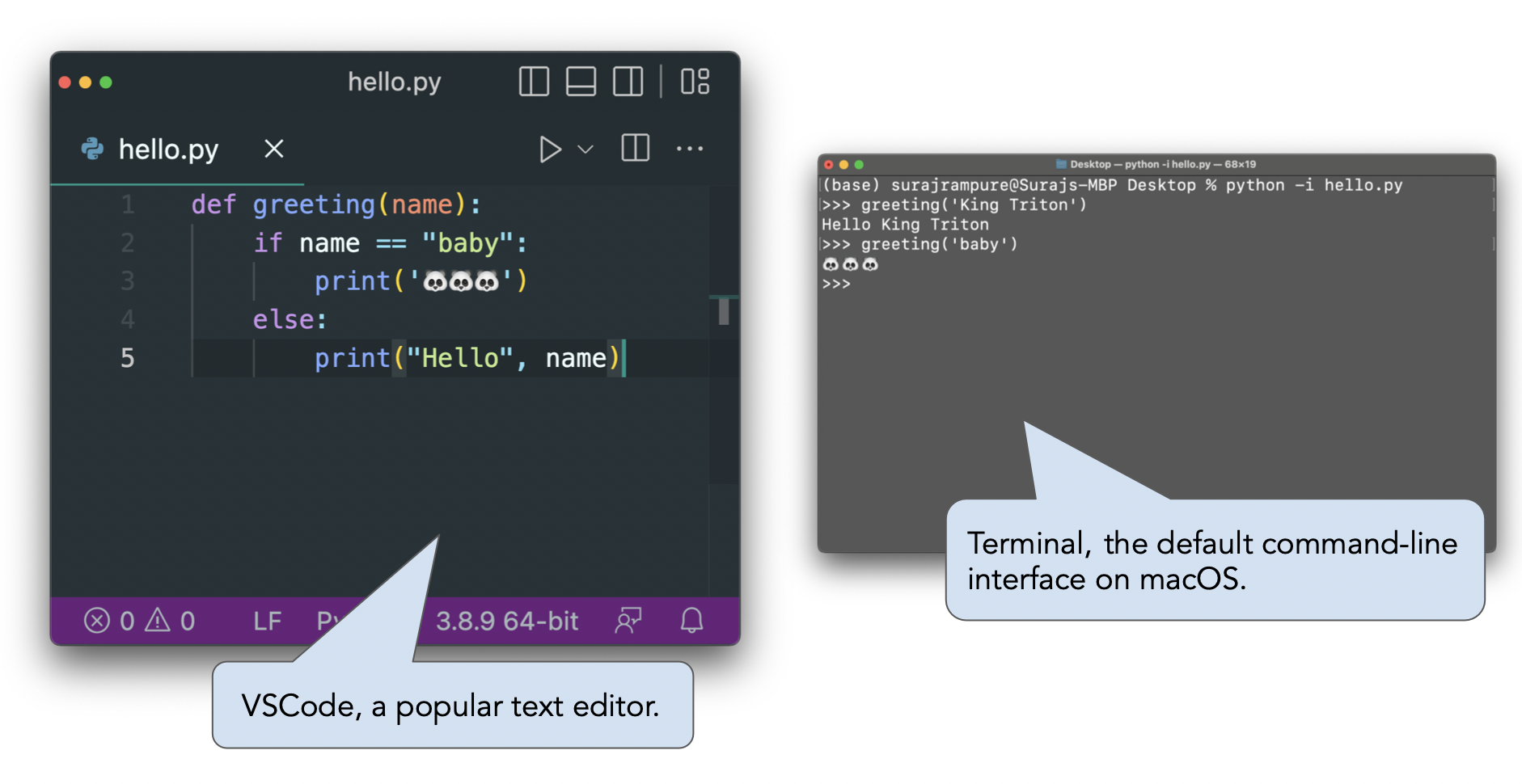
- Jupyter Notebooks allow us to write and run code within a single document. They also allow us to embed text and code. We will be using Jupyter Notebooks throughout the quarter.
- DataHub is a server that allows you to run Jupyter Notebooks from your web browser without having to install any software locally.
Expressions
Python as a calculator
- An expression is a combination of values, operators, and functions that evaluates to some value.
- For now, let's think of Python like a calculator – it takes expressions and evaluates them.
- We will enter our expressions in code cells. To run a code cell, either:
- Hit
shift+enter(orshift+return) on your keyboard (strongly preferred), or - Press the "▶ Run" button in the toolbar.
- Hit
23
23
-15 + 2.718
-12.282
4**3
64
(2 + 3 + 4) / 3
3.0
# Only one value is displayed. Why?
9 + 10
13 / 4
21
21
Arithmetic operations
| Operation | Operator | Example | Value |
|---|---|---|---|
| Addition | + |
2 + 3 |
5 |
| Subtraction | - |
2 - 3 |
-1 |
| Multiplication | * |
2 * 3 |
6 |
| Division | / |
7 / 3 |
2.33333 |
| Remainder | % |
7 % 3 |
1 |
| Exponentiation | ** |
2 ** 0.5 |
1.41421 |
Python uses the typical order of operations – PEMDAS (BEDMAS? 🛏️)
5 * 2**3
40
(5 * 2) ** 3
1000
Activity
In the cell below, write an expression that's equivalent to
$$(19 + 6 \cdot 3) - 15 \cdot \left(\sqrt{100} \cdot \frac{1}{30}\right) \cdot \frac{3}{5} + \frac{4^2}{2^3} + \left( 6 - \frac{2}{3} \right) \cdot 12 $$
Try to use parentheses only when necessary.
Summary, next time, reminders
Summary
- Expressions evaluate to values. Python will display the value of the last expression in a cell by default.
- Python knows about all of the standard mathematical operators and follows PEMDAS.
Next time
- We'll learn how to use variables to store values so that we can use them later in our code.
- We'll compute values using functions like
max,min, andround. - We'll discover that there are multiple different ways of storing values in Python. These are called data types.
Reminders
- Attend your scheduled laboratory section later today to participate in the research assessment for extra credit.
- Complete the items in the Getting Started section of the syllabus by Tuesday, September 29th at 11:59PM.
- Then, work on the Pretest and Lab 0, both due Thursday, October 1st at 11:59PM. Access assignments by clicking links from the homepage of dsc10.com.